Tongxin Software Studio
WindowNest Buy Now » « Back
A desktop window management tool for Windows that can automatically group windows according to rules such as title, class name, and process. With a single click, it can activate, maximize, minimize, restore, or close an entire group of windows. In particular, it supports global hotkeys and intra-group cycling, making it highly suitable for users who frequently open countless windows and switch back and forth.
Windows
Description
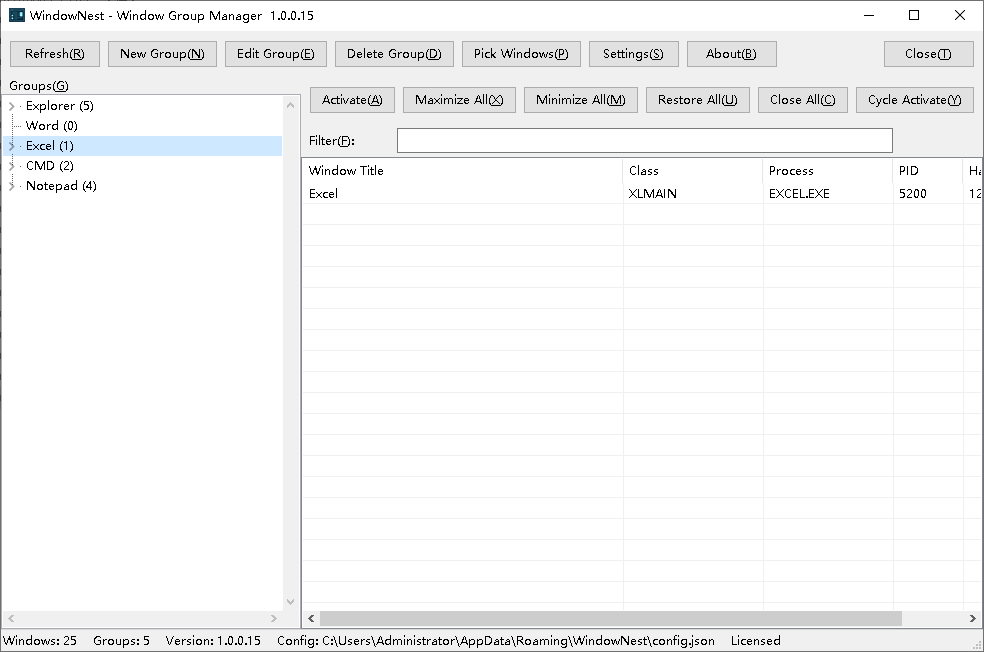
This tool is a lightweight desktop window management utility for Windows, distributed as a single file and resident in the background. Its core approach is to group first and then perform batch operations. Each group can be configured with multiple matching rules, supporting six fields: window title, class name, handle, process ID, process name, and main executable name. Rules may use substring matching or regular expressions, may be negated, and may be combined as match any or match all. Rules are stored in a local configuration file and take effect automatically at startup, so scattered windows are automatically assigned to groups. It also supports batch operations on entire groups: activate, maximize all, minimize, restore, close, and round-robin activation within a group, equivalent to a single-group Alt+Tab. Activation and maximization raise windows in matching order, with the last window receiving focus; when a single child node is selected, only that node is operated on. Each group can be bound to five global hotkeys. Together with application-level hotkeys such as show main window and poll up or down, windows can be switched in any program. Additional features include temporary groups, real-time window filtering, real-time rule testing, double-click editing, full keyboard operation, and tray residency, making it a capable assistant for multi-window office work and development.
Download
Screenshots & Demo
Related Articles
User Reviews (0)
No reviews yet. Be the first to share your thoughts!